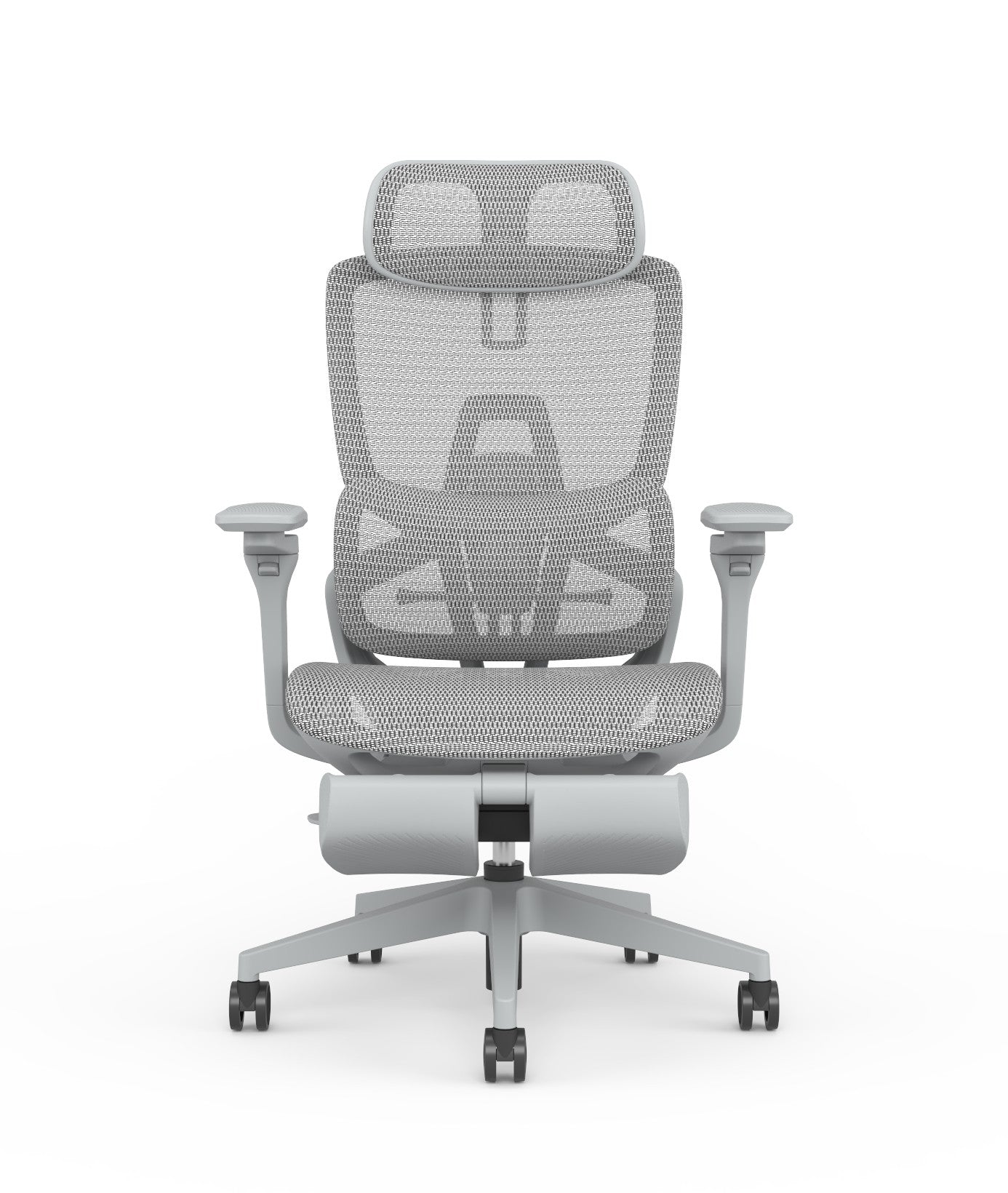
If you sit with back discomfort, the office chair back support you choose matters most. Real support holds your lower back's natural curve and adjusts to your body — not a soft cushion that collapses under you. This guide explains what genuine support looks like and how to set it up.
Key takeaways
- Real back support holds the inward curve of your lower back — a flat backrest or a soft pad does not.
- Adjustable lumbar support is worth prioritising, because backs differ and a fixed curve rarely fits everyone.
- Support also depends on seat height and depth being set correctly — a good backrest cannot compensate for a badly set seat.
- A reclining (synchro-tilt) mechanism helps by letting you shift load off your spine through the day.
- Persistent pain needs a professional, not just a chair — the right chair supports recovery, it is not a treatment.
What "back support" really means in a chair
Back support is often sold as softness, but the two are almost opposites. A soft, deeply padded backrest feels reassuring for a minute and then lets your lower back round forward, which is exactly the posture that causes ache. Genuine support does the opposite: it holds the natural inward curve of your lumbar spine so your back stays in a neutral, upright position without effort.
The part that matters most is the lower third of the backrest. That is where your lumbar curve sits, and where support either happens or does not. A backrest that is flat there, or that only curves at shoulder height, leaves the part of your back that needs support unsupported. When you assess a chair for back support, look and feel for shaped, firm support low down — not padding higher up.
The adjustments that give real support
A backrest that supports one person may not fit the next, which is why adjustability is central to back support.
- Adjustable lumbar support. The ability to move the support up, down, or in and out lets you place it exactly where your lower back curves. This is the single most valuable back-support feature, because it fits the chair to your spine rather than the average.
- Seat height. Set so your feet are flat and knees near a right angle. A seat too high or low tilts your pelvis and undoes the backrest's work.
- Seat depth. With your back against the support, there should be a small gap behind your knees. Too deep and you slide forward off the lumbar support; too shallow and your thighs are unsupported.
- Recline (synchro-tilt). Reclining periodically shifts load off the discs in your lower back. A mechanism that lets you lean back while staying grounded is part of good support, not a luxury.
Setting the chair up so the support works
A supportive chair set up wrongly gives no support, which is why setup is half the answer. Start from the seat, not the back: set the height so your feet are flat and forearms level with the desk, then set the depth so you can sit fully back with a small gap behind the knees. Only then adjust the lumbar support to meet the curve of your lower back.
The common failure is buying a chair with good support and never adjusting it — leaving the lumbar in a default position that does not match your spine. Five minutes of setup is the difference between a chair that helps and one that does not. Once set, sit fully back so your lumbar actually meets the support; perching forward on the seat edge bypasses it entirely. Our ergonomic chair buying guide covers the wider feature set if you are choosing from scratch.
From the field: the chair helps, but it is not a cure
The honest position on back support is that the right chair prevents and relieves the discomfort caused by sitting badly, but it does not treat an underlying back problem. If you have persistent or worsening back pain, a chair is part of the answer, not the whole of it — see a professional. What a supportive, well-adjusted chair does is stop your working day from making things worse, and give your back a neutral, supported position for eight hours instead of a slouched one.
Two habits multiply the benefit. First, move: even the best support works better when you change posture and stand periodically, because static sitting stiffens the back regardless of the chair. Second, set the chair up properly and re-check it — bodies and desks change, and a support position that was right months ago may have drifted. A chair chosen for back support, set correctly, and paired with movement is what keeps the discomfort from returning. You can shop office chairs with adjustable lumbar support to start.
Back-support chair checklist
- Firm, shaped support in the lower third of the backrest
- Adjustable lumbar (height and, ideally, depth)
- Seat height set for flat feet and level forearms
- Seat depth leaving a small gap behind the knees
- Synchro-tilt recline to shift load through the day
- Set up correctly, then sit fully back to use it
- Paired with movement and, for persistent pain, professional advice
FAQ
What should I look for in an office chair for back support? Look for firm, shaped support in the lower third of the backrest, where your lumbar curve sits — not soft padding higher up. Prioritise adjustable lumbar support so you can place it exactly where your lower back curves. Correct seat height and depth, plus a reclining mechanism, complete the support by keeping your pelvis and spine in a neutral position.
Is adjustable lumbar support worth it? Yes — it is the most valuable back-support feature. Backs differ, so a fixed lumbar curve rarely fits everyone, and one placed slightly wrong gives little benefit. Adjustable lumbar lets you move the support to meet your own spine, which is what turns a supportive-looking chair into one that actually supports your lower back through the day.
Can an office chair fix my back pain? A well-chosen, correctly set-up chair prevents and relieves the discomfort caused by sitting badly, but it does not treat an underlying back condition. If pain is persistent or worsening, see a professional — the chair is part of the answer, not a cure. What it does is stop long sitting from making things worse and hold your back in a supported position.
Why does my supportive chair still hurt my back? Usually because it is not set up for you. A good chair left in default positions — lumbar too high or low, seat too deep, height wrong — gives little support. Set the seat height and depth first, then adjust the lumbar to your lower-back curve, and sit fully back so you actually meet the support rather than perching on the seat edge.
Does a reclining chair help with back support? Yes. Reclining on a synchro-tilt mechanism periodically shifts load off the discs in your lower back, so it is part of good support rather than a luxury. Static upright sitting for hours stiffens the back; a chair that lets you lean back while keeping your feet grounded lets you change posture and relieve pressure through the day.
Related guides
- Office Furniture Procurement Guide for the UAE
- Best Office Chair for Long Hours (UAE)
- Mesh vs Fabric vs Leather Office Chairs
Support your back. Shop office chairs with adjustable lumbar support, or read the ergonomic chair buying guide for the full picture.